
How to Choose Between a Website Rebuild and a Website Redesign
 Emily Carter
7 min read
Emily Carter
7 min read
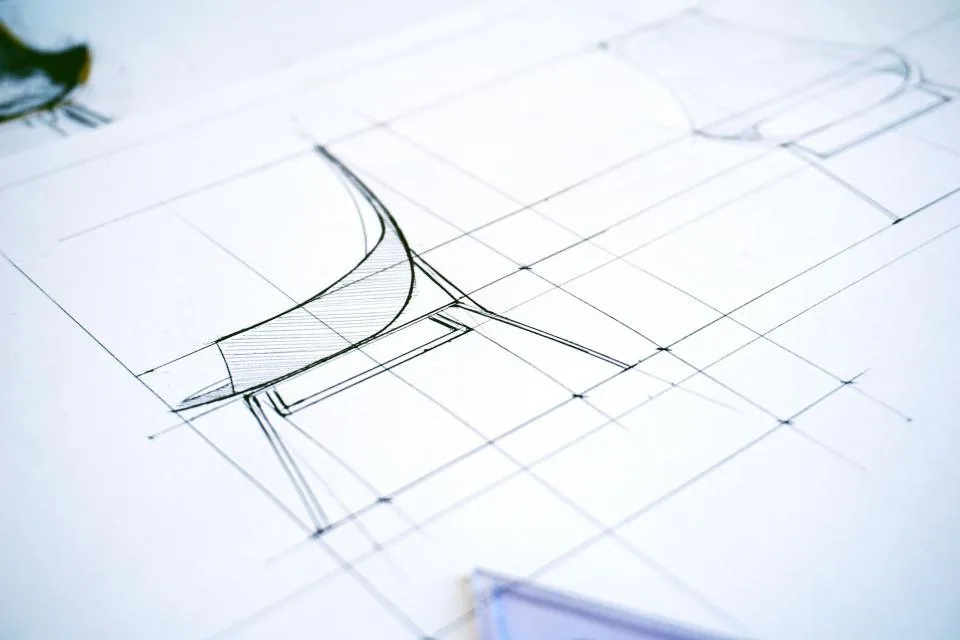
A website that no longer keeps up with its business is a familiar problem. The instinct is to ask for a rebuild, because it feels cleaner. In practice the right answer is often a redesign, and the difference matters more than most organisations expect.
There is a second reason the decision so often goes the wrong way. A rebuild is the more satisfying answer. It produces a clean diagram, a definite end date and a project where somebody can point at a launch. A redesign is harder to describe, harder to scope and easy to postpone, because nothing dramatic happens on the day it goes live. Both routes are legitimate. What is not legitimate is choosing between them before you have established what the site you already own is actually worth.
This is a decision about an asset, not a feature list
Compare it with the build-or-buy question, where you weigh commissioning something new against licensing something that already exists. That question is about requirements. This one is about inventory. Before anything else, write down what the current site does for the business: the pages that produce enquiries, the addresses other people link to, the content you would be sorry to lose, the third-party services it depends on and the connections other systems rely on. Almost every site is worth more than its owner assumes and more fragile than its technology suggests.

Doing that inventory properly is unglamorous, and it is the step that decides the outcome. A full website audit before the scope conversation, rather than during it, gives you a list of facts to argue about instead of a list of grievances. It also produces the asset register you will need later, whichever way the decision goes.
What actually changed?
Start with the cause, not the symptom. If the design looks dated but the underlying content, structure and technology are sound, a redesign is usually enough. If the site is slow, hard to update, cannot be integrated with anything and nobody can confidently change a page without breaking something, the underlying structure is the problem and a rebuild is the honest answer.

Ask three questions. Can your team publish a page without a developer? Does the site integrate cleanly with the systems it needs to talk to? Can a new team member find and change content without training? A “no” to any of these is a structural problem.
Two further questions separate a diagnosis from a guess. How long does an ordinary change take — publishing a page, correcting a price, adding a section? If the truthful answer involves a developer, a ticket and a deployment window, you have a workflow problem, and no amount of restyling will address it. And has anyone counted the individual fixes the site needed over the last twelve months? A site carrying a stream of small patches is not stable, however healthy it looks in a browser window.
What a redesign preserves
A redesign keeps the parts that already work: your domain, your accumulated search equity, your analytics history and your content. That matters more than it sounds. Rebuilding from zero and losing months of organic visibility is a real and avoidable cost, and it is the reason we usually recommend redesigning a site that still has search value.
A redesign also preserves things that are easy to forget. The content model, the media library, the redirect rules that already exist, the hosting arrangement your forms and email already point at. Most valuable of all, it preserves your ability to ask questions of the people who built the thing. That institutional knowledge is routinely the first casualty of a rebuild, and it is the reason some perfectly serviceable sites get replaced with worse ones.
It also preserves something subtler: the site’s relationship with search engines. URLs that have existed for years and have been referenced elsewhere carry weight that is not visible anywhere in the admin panel. Moving them means asking search engines to re-learn what your site is, and the re-learning is not symmetrical — pages that had earned attention can lose it without a clear cause and without an obvious way to get it back. A change of web design that leaves the addresses alone keeps that relationship largely intact, which is the practical reason to prefer a redesign when the underlying content is sound.
Preservation is not automatic, though. A redesign that reorganises navigation without first mapping every old address to a new one can cost more visibility than a straightforward rebuild would. If only the presentation changes, the risk is small. If sections are being merged, renamed or dropped, treat the address mapping as its own piece of work with its own review, rather than something to settle during a design discussion.
What a rebuild is for
A rebuild earns its cost when the technology itself has become the constraint. Legacy platforms that no longer receive security updates, applications that cannot meet accessibility requirements, and architectures that make a required integration impossible are all cases where continuing to patch is more expensive than starting again.

Conditions that usually justify starting again
- The platform no longer receives updates at a rate your policy can live with, and the remaining upgrade path is more likely to close than to open.
- An integration you know you will need cannot be built cleanly on the current architecture, and the workarounds would cost more than replacing the thing they work around.
- A requirement about how personal data is held, or how content is published and approved, cannot be met by the system as it stands and cannot be added to it without replacing it.
- The site has collected so many one-off modifications that nobody can say which parts are platform and which parts are yours. Every future change now carries the cost of that uncertainty.
The first two are close to disqualifying on their own. The third usually points towards replacement, though it is worth asking whether a smaller piece of work would satisfy it. The fourth is the condition most often underestimated, because it feels like an inconvenience rather than a fault. It is also the one that most reliably makes sites expensive to own.
What it costs to keep patching
Staying with an unsuitable platform is rarely one decision. It is a run of small ones: another plugin for a function the platform does not support, another plugin to fix the plugin before it, a template forked so it can carry a layout nobody else can edit, an upgrade deferred until the risk appears larger than the effort. None of those choices is unreasonable on the day it is made. Together they produce a site that is awkward to host, expensive to change and impossible to hand over cleanly.

That drift is also what makes estimates unreliable. Once a site carries a decade of accreted decisions, nobody can price a change without reading the code first, and the quote that comes back is a guess dressed up as a number. If your last two projects on this site both came in over the estimate, that is evidence about the platform rather than about the people who did the work.
Where a platform is salvageable rather than hopeless, the answer is usually staged modernisation instead of replacement — fixing the specific parts that are actually costing you, in the order they cause trouble. That is a separate conversation from a rebuild, and worth having separately, because the scope and the risk profile are quite different. SmartEdge IT Solutions will usually write both options up before recommending either, since a comparison nobody has read is not a decision.
Where the two meet
Most projects land in between. A common pattern is to redesign the public-facing pages and rebuild the specific application areas that actually need it. This keeps the project proportionate and avoids spending rebuild budgets on parts of the site that were never the problem.
A hybrid has real advantages and one significant disadvantage: it leaves you with two systems to reason about. Content that belongs in one area but ends up in the other is the usual failure, along with duplicated navigation and two sets of permissions to administer. If you take this route, decide before the build which content lives where and write it down. The decision is trivial while the site is small and expensive to renegotiate once it is not.
Watch for the version of this that gets described as a rebuild. A site can be re-skinned, given a new theme and a new front page while everything underneath stays exactly as it was. If a proposal describes a redesign but prices it as a rebuild, the budget has been inflated without any operational benefit. Ask what happens to the underlying platform. If the answer is that it stays, you are looking at a redesign.
Who maintains it afterwards
This question constrains the technology more than any feature list, and it is the one most often deferred until after the signature. A site that needs a developer to change a date is not a website. It is an application with a public interface, and it needs to be budgeted as one. If the person maintaining it is a marketing colleague with no technical background, that argues strongly for a platform with genuine editorial capability. If you intend to keep a development partner on retainer, it opens options a redesign would have ruled out.

Whatever you choose, make maintenance part of the scope rather than a conversation for afterwards. Who receives the credentials, where the backups live, how a restore gets tested, which updates are applied automatically and which need a person. These are small items that cause expensive arguments when they are unclear, and ongoing application support is where they should be settled.
Questions worth asking before you commit
Ask what has to be true in two years for the site to still fit. Ask which content you cannot afford to lose. Ask who will maintain it afterwards, because that answer constrains the technology more than any feature list. If the answers are clear, the rebuild-versus-redesign question usually answers itself.

Add these to the list, and try to answer them in writing rather than in a meeting:
- Which pages currently bring in enquiries, and what specifically would we lose if they moved or changed address?
- What is the monthly patching load today, and who does that work?
- Which connections to other systems exist now, and which of them are contractual rather than incidental?
- What accessibility target are we agreeing to, and can the current platform meet it without replacement?
- Which single platform problem would make us say yes to a rebuild? An empty list means the question has already been answered.
If the answers do point towards replacement, get a second opinion on that before committing, because the answer is expensive and the case for it is often made by the people who would like to sell the work. When SmartEdge IT Solutions runs this kind of assessment we write down what we found and what we would do about it — including the cases where we would tell a client to keep what they have and spend the money somewhere else.